Actions
Bug #4204
open
AK
SD
Product Quantity filter displays all products when searching with quantity 0
Bug #4204:
Product Quantity filter displays all products when searching with quantity 0
Start date:
Due date:
% Done:
0%
Estimated time:
Description
Short Description:
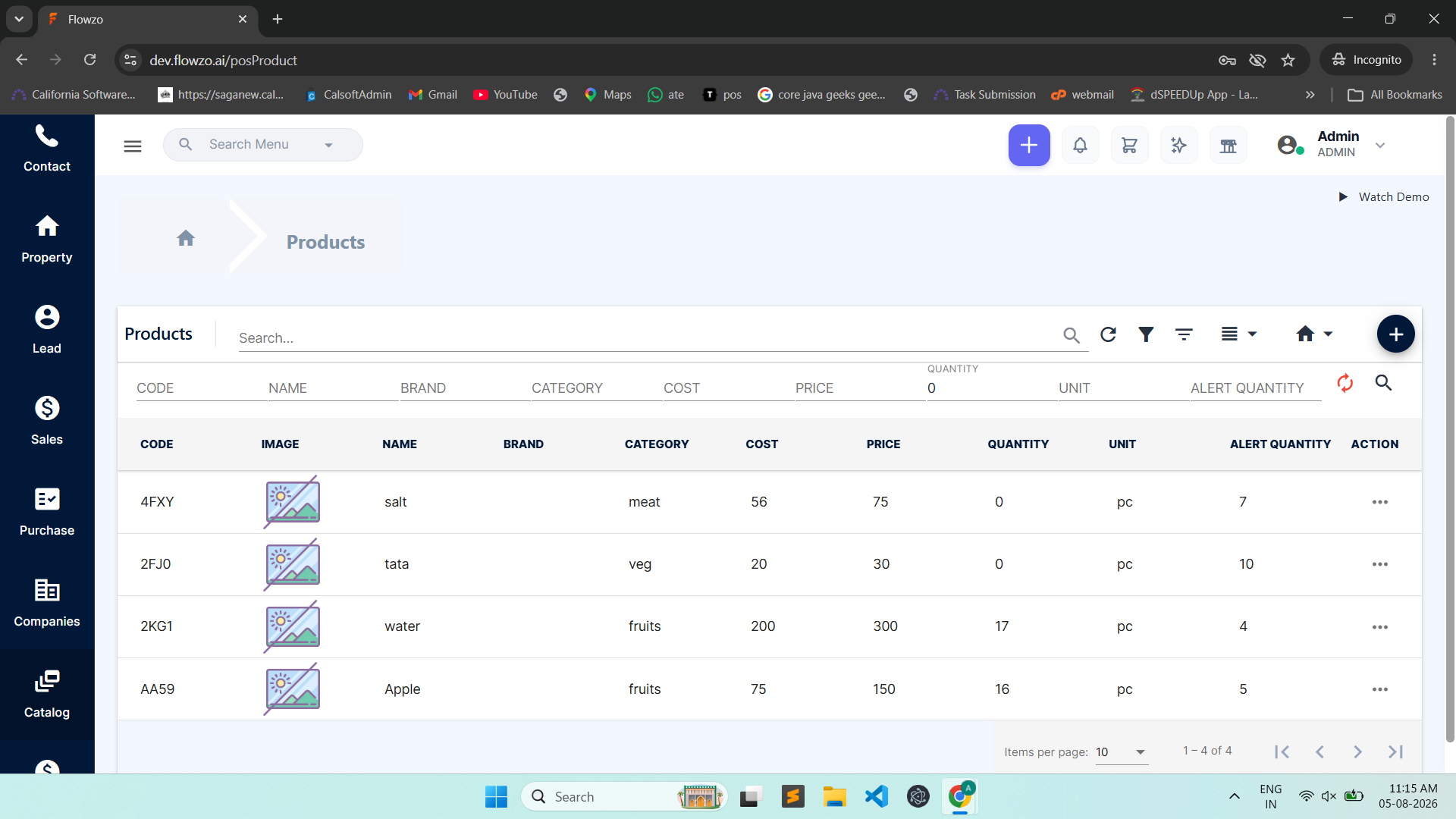
When the user enters 0 in the Product Quantity filter and performs a search, the system displays all products instead of filtering products with a quantity of 0.
Steps to Reproduce:
Login to the application.
Navigate to the Products module.
Open the Quantity filter.
Enter 0 as the quantity.
Click Search.
Observe the displayed results.
The system displays all products instead of filtering products with a quantity of 0.
Files
No data to display
Actions