Actions
Bug #4422
open
AK
SD
No matching customer is displayed until pressing Enter in the Customer search
Bug #4422:
No matching customer is displayed until pressing Enter in the Customer search
Start date:
Due date:
% Done:
0%
Estimated time:
Description
Description:
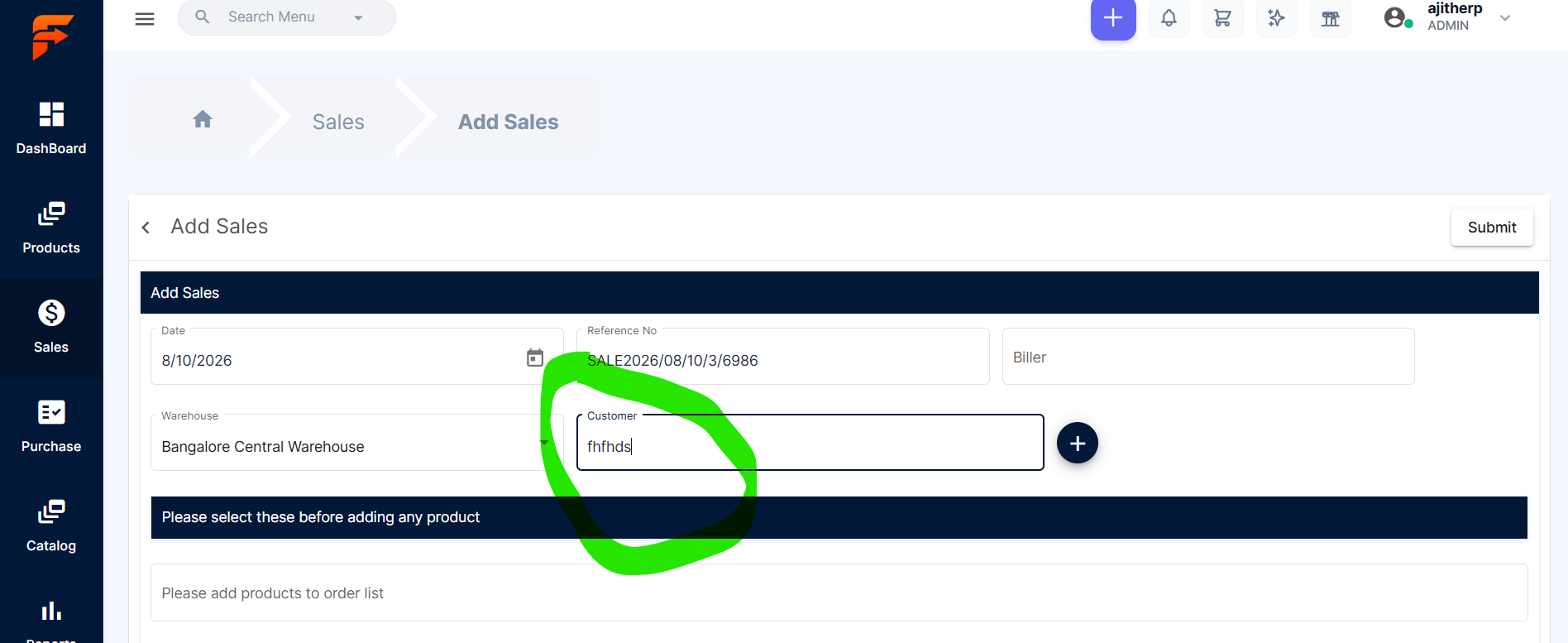
When an invalid customer name is entered in the Customer search field, the system does not immediately display the "No matching customer found" message. The message is displayed only after pressing the Enter key.
Steps to Reproduce:
Navigate to Sales → Add Sales.
Click the Customer search field.
Enter an invalid/non-existing customer name.
Observe the search dropdown.
Press Enter.
The "No matching customer found" message is displayed only after pressing the Enter key.
Expected Result:
The "No matching customer found" message should be displayed automatically in the dropdown when there are no matching customers, without requiring the user to press Enter.
Files
No data to display
Actions