Bug #4607
closedWebsite:– User Wise Lead Status Report: Remove Link from 0 Count Values
0%
Description
Module: Reports – User Wise Lead Status Report
Platform: Website
Issue Type: UI / Functional
Description:
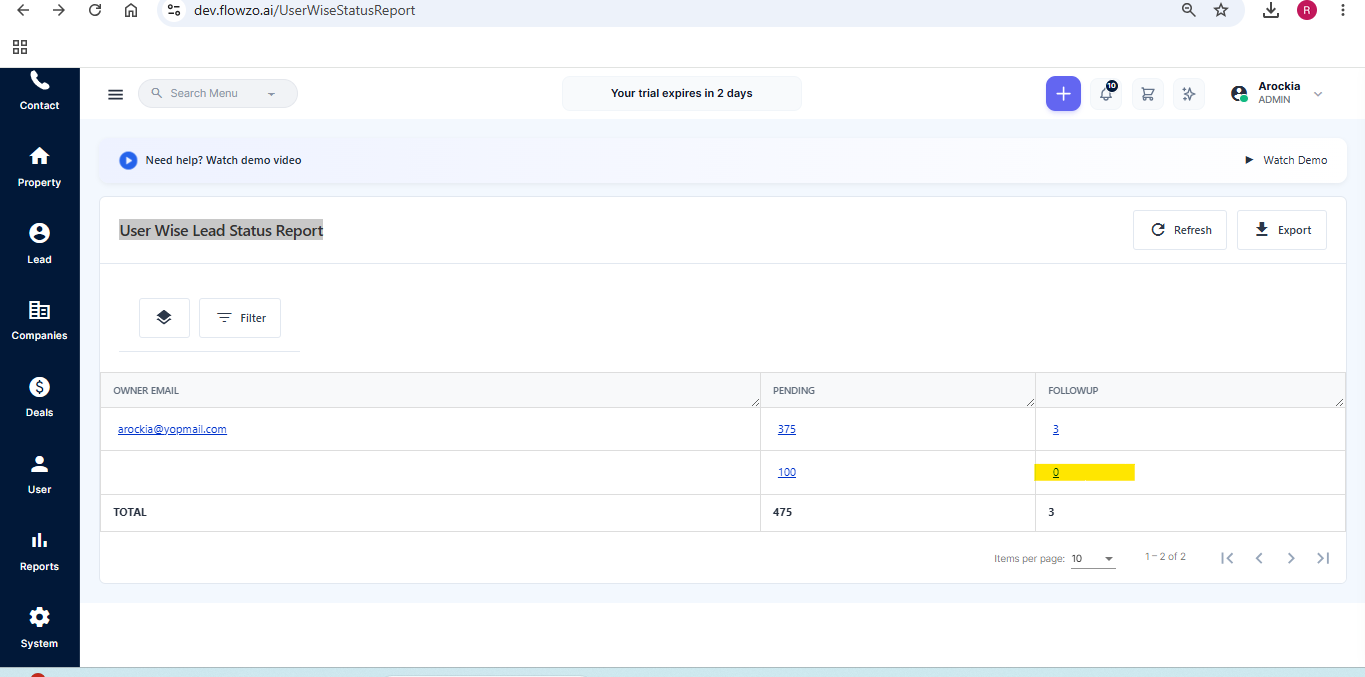
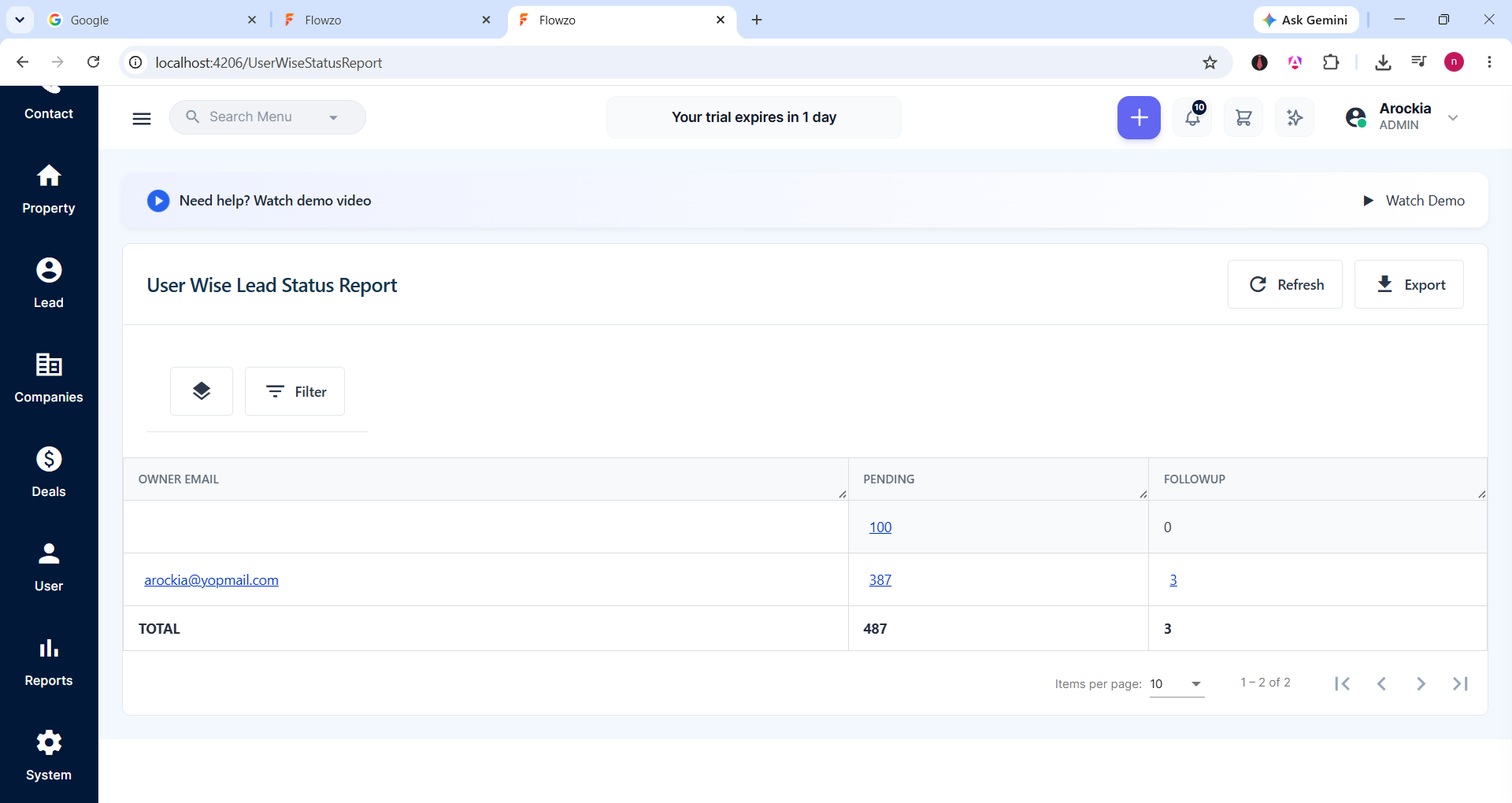
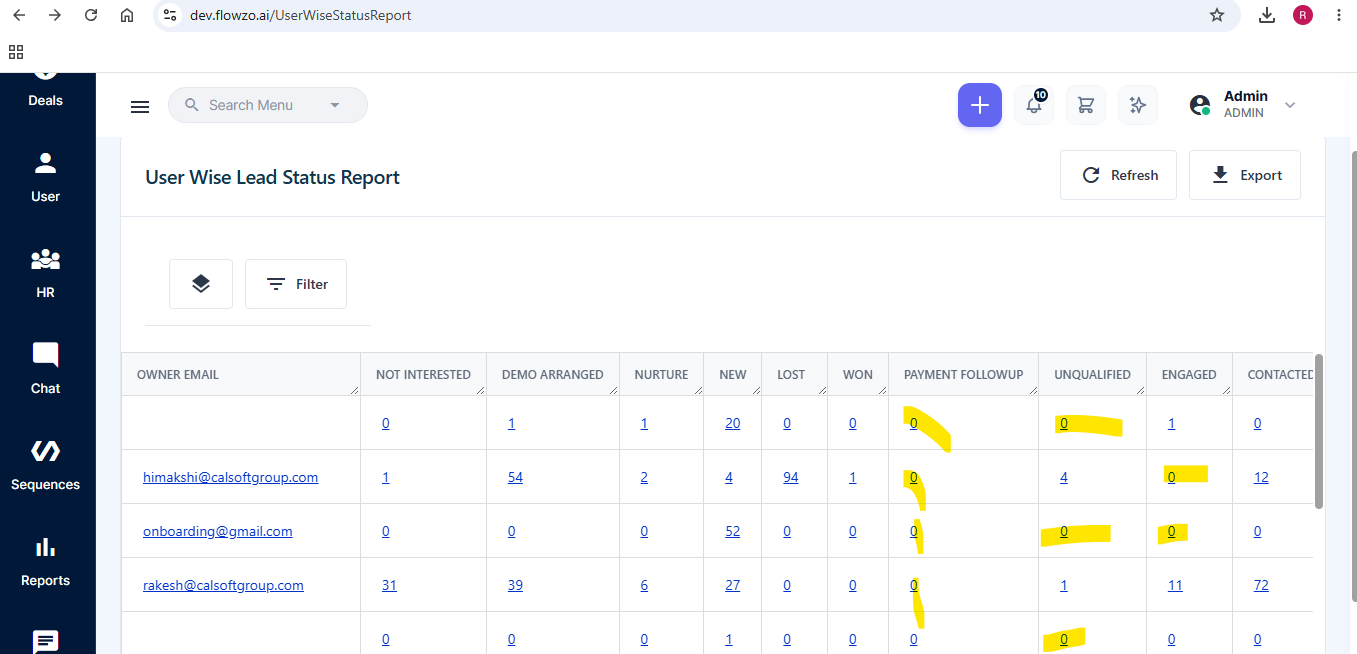
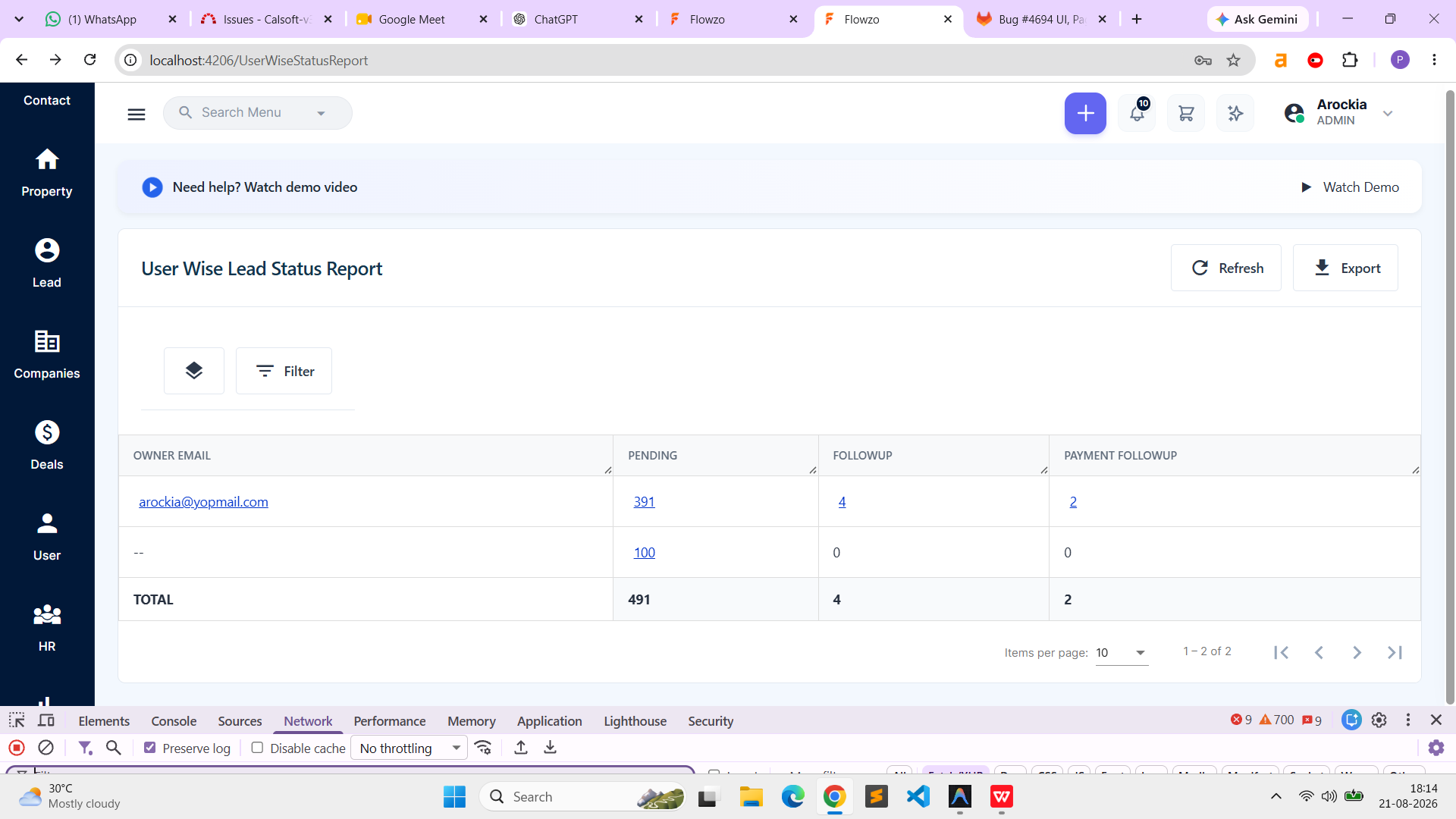
In the User Wise Lead Status Report, the count values are displayed as clickable links. When the count is 0, the link should not be available, as there are no corresponding records to display.
Steps to Reproduce:
Login to the Website.
Navigate to Reports → User Wise Lead Status Report.
Generate the report.
Identify any Lead Status with a count of 0.
Verify whether the 0 count is displayed as a clickable link.
Actual Result:
The 0 count is displayed as a clickable link even though there are no records associated with it.
Expected Result:
The 0 count should be displayed as a normal, non-clickable value. The link should be enabled only when the count is greater than 0.
arockia@yopmail.com
Welcome@123
Files
NV Updated by nandhini v 6 days ago
- Status changed from New to In Progress
NV Updated by nandhini v 5 days ago
- File user lead status.png user lead status.png added
- Status changed from In Progress to Resolved
RR Updated by reeta reeta 4 days ago
- File clipboard-202608191330-ko5u0.png clipboard-202608191330-ko5u0.png added
- Status changed from Resolved to Re-open
Dev Url:https://dev.flowzo.ai/
Admin Url: admin@flowzo.ai
Password: Admin@123
company Name - calsofttech.com
NV Updated by nandhini v 2 days ago
- Assignee changed from nandhini v to parkavan p
PP Updated by parkavan p 2 days ago
- File clipboard-202608211814-tnpjh.png clipboard-202608211814-tnpjh.png added
- Status changed from Re-open to Resolved
RR Updated by reeta reeta about 23 hours ago
- Status changed from Resolved to Closed
As expectedd